01 / QUICK START
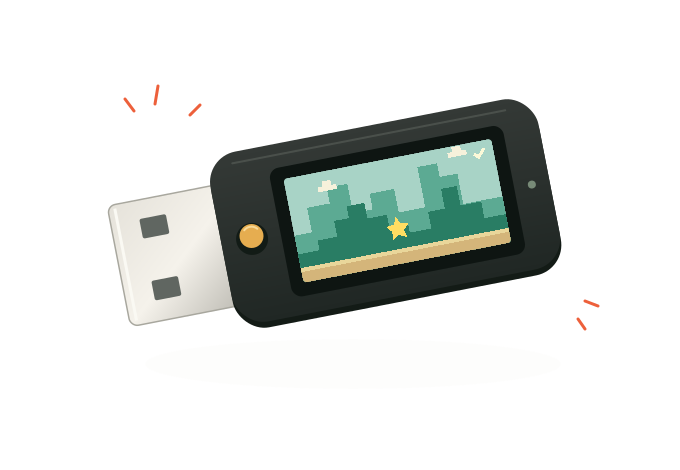
Plug in. You’re ready.
Connect USB power
Use the power bank or a computer’s USB-A port.
Watch the adventure
The 96-exit Super Mario World tour resumes automatically.
Tap to play
Enter the runner. Mario runs; you jump.
Progress saves automatically. After unplugging, a short section may repeat. No app or network setup needed.
02 / CONTROLS
One button.
Tap → play
Hold for about 1.2 seconds → Hall of Fame.
Press → jump
Hold briefly for a higher jump. Bounce onto enemies or jump over them.
Hold for about 1.2 seconds → return to the adventure you paused.
Tap → try again
Hold → return to watching. Results and score tables return automatically after 20 seconds idle.
BUTTON PRACTICE
Try a tap.
An on-screen example. It doesn’t control your dongle.
Watching. Tap to play.
03 / HIGH SCORES
Leave your initials.
The runner gets harder through eight stages. Distance adds points; each successful stomp adds 100.
HOLD TO CONFIRM
Make the top five to enter your initials. Tap to change a letter; hold to confirm. Repeat for all three letters. After 45 seconds idle, the displayed initials confirm automatically.
LOCAL keeps your dongle’s scores. FRIENDS shows shared scores from nearby Plumgles. Both survive unplugging once saved.
04 / NEARBY FRIENDS
Bring them together.
Compatible Plumgles discover each other nearby, synchronize their theater playback, and share scores. No router or pairing needed.
Synced
Nearby devices report synchronized playback.
Nearby
Friends are present, including in runner mode.
Syncing
Getting the theater into step.
The count includes your dongle; the badge disappears when you’re alone. In the Hall of Fame, LOCAL and FRIENDS alternate every five seconds.
Discovery depends on signal strength. The runner stays independent of theater synchronization.
05 / AUDIO
Listen over USB.
Connect to a computer and monitor Plumgle’s audio input to hear stereo music and effects. A power bank supplies power only; the dongle has no speaker.
AUDIO INPUT
Plumgle SNES StereoSome apps show “Plumgle Audio.”
Mac: QuickTime Player
- Connect Plumgle, then open File → New Audio Recording in QuickTime Player.
- Open the options beside Record and select the Plumgle input.
- Raise the monitoring volume slider. You don’t need to record.
Start at a low volume. Speakers or headphones both work.
Windows and other audio apps
Select Plumgle as a stereo input in an app that supports live input monitoring, then enable monitoring to your speakers or headphones.
Use 48 kHz stereo and disable microphone processing such as noise suppression or automatic gain when available.
Runner music plays complete tracks in order and continues across retries. Effects follow the game.
06 / HELP
A few useful answers.
What happens when I unplug it?
The adventure resumes from the latest completed save, so a short section may repeat. Saved personal scores remain.
Give a newly saved score a moment before unplugging. Shared FRIENDS entries can take about a minute to store.
The screen is black.
Unplug and reconnect without holding the button. Holding it while connecting can enter programming mode.
Check the power bank is charged and awake; some need their power button pressed. For a computer hub, try a direct USB port.
Why is there no sound?
Plumgle sends audio as a USB input and has no speaker. A power bank won’t play it. On a computer, enable input monitoring as described in Audio.
Why did the adventure pause or jump?
A compatible friend may have arrived and synchronized playback. There can be a short pause while the devices get into step. Runner sessions and personal scores stay independent.
What does the full adventure include?
A tool-assisted tour of 96 exits, the four switches, Bowser and the ending, lasting about 1 hour 56 minutes. Then it loops. Enter the runner at any time and return afterward.
 dongle.party
Small objects, made for play.
Plumgle is the first. More to come.
About this project & credits
Dongle Party is an independent hobby project. Super Mario World is a Nintendo game. The full-clear recording is by DrakeekarD; native game execution builds on snesrev/smw, with the SPC DSP implementation by Shay Green.
This website provides instructions, not game files.